How to Pay your Digido Loan Using QR Ph
Key takeaways:




QR codes have expanded its reach, allowing users to pay a wide variety of bills—from utilities and tuition fees to online shopping and, of course, Digido loans. Many companies and service providers across the Philippines are adopting QR Ph to simplify payment methods, making it a convenient option for nearly any kind of bill.
If you’re looking for a fast, secure, and hassle-free way to pay your Digido loan, using a QR code through QR Ph is the perfect solution. No need to type in long bank details—just scan the QR code with your mobile banking app or e-wallet, and you’re done! In this guide, we’ll walk you through the simple steps on how to pay Digido loans using QR Ph.
How to Pay for a Digido Loan using QR PH: Fast Guide
When paying a loan to Digido, you can use the QR Ph, it’s safe and convenient, moreover, it’s the most favorable way to pay your loan without any additional fees. Here are the simple steps to pay your loan with QR Ph:
Step 1: Log in to Your Digido Account
- Open your account through the Digido mobile app or website (digido.ph).
- Log in with your mobile number and an OTP will be sent for verification.
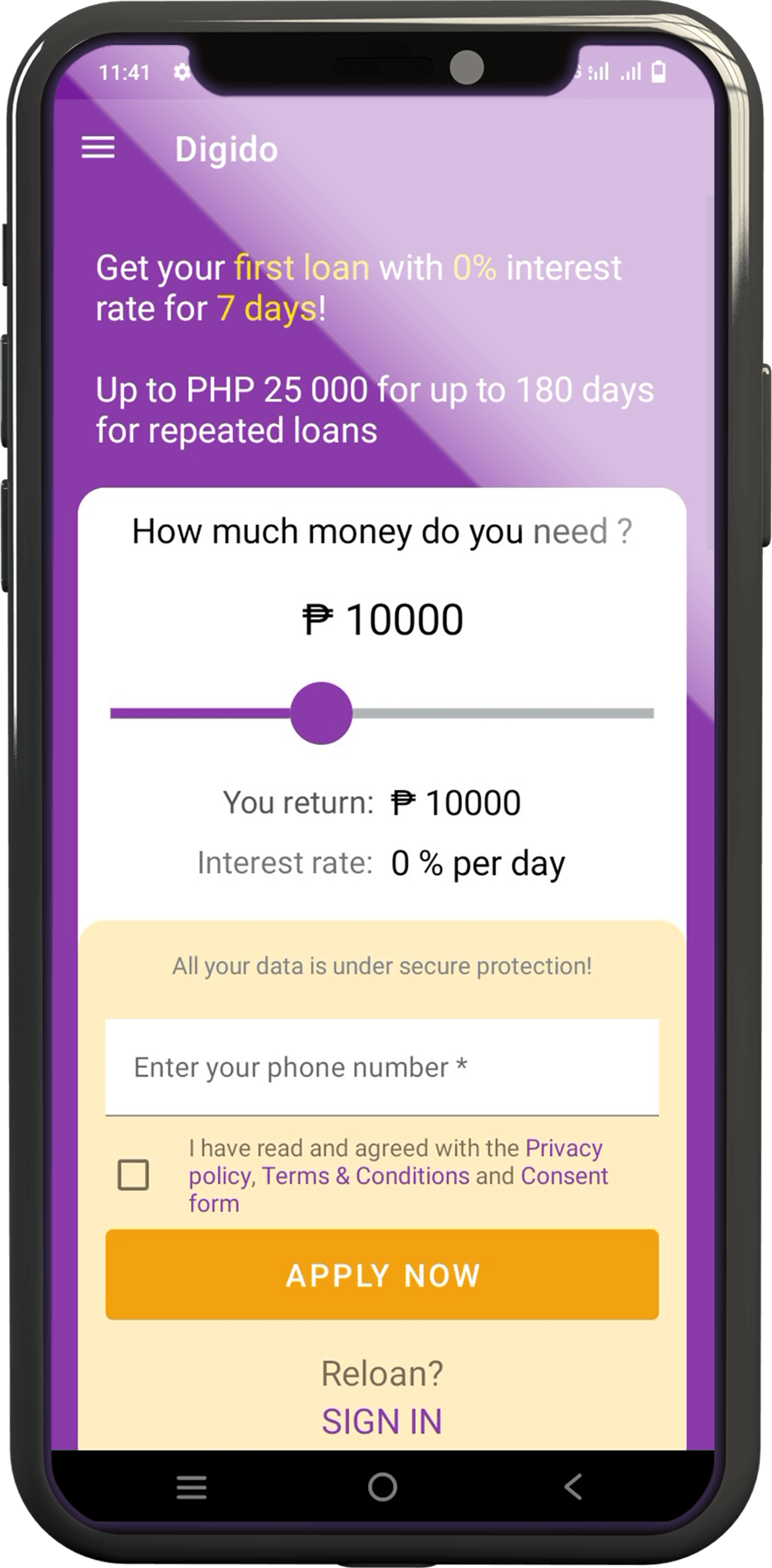
After logging in, you will see the option to “Pay without additional fees via QR Ph”. If you are using a mobile device, click the question mark next to the text to display the QR code and take a screenshot of it.

Step 2: Open Your Preferred Payment Channel
- Open your chosen mobile banking app or e-wallet that supports QR Ph payment.
- Select the QR payment option in your mobile banking app or e-wallet.
- Upload the QR code screenshot.

Step 3: Enter the Amount and Verify Payment Details
- Enter the amount that needs to be settled, enter your security PIN and password, or use biometric authentication if needed.
- Review all the details to ensure they’re correct then click “Pay”.

Step 4: Receive Confirmation
Once the payment is processed, you will receive a notification from Digido and your mobile banking app or e-wallet via email or SMS acknowledging the payment.

Step 5: Save Your Receipt
- Save or screenshot the payment confirmation for your records.
- Check your Digido account to ensure the payment has been reflected.
By following these steps, you can pay your loan easily through QR Ph.

Why Choose QR Ph as your Payment Сhannel?
✅ Quick and Easy
Hindi na kailangang mag-type ng mahabang bank details, i-upload lang ang QR code sa iyong online bank or e-wallet!
Same-day payment posting pa.
✅ Legit
You’re safe and secure here! QR Ph is supervised and supported by the Bangko Sentral ng Pilipinas.
✅ Sulit
No convenience or service fees when you pay via QR Ph! Sulit na sulit!
Try QRPh today para sa quick, legit at sulit na loan repayment! For other repayment questions or concerns, mag-email sa support@digido.ph
About QR Ph
QR Ph is a nationwide QR code standard that aims to make digital payments more accessible and convenient for everyone in the Philippines. Supported by the Bangko Sentral ng Pilipinas, QR Ph is part of a broader effort to promote financial inclusion by making cashless payments easier for consumers and businesses alike.
By adopting QR Ph, you can make payments quickly and safely, without the extra hassle of entering manual details.
Using QR Ph to pay Digido loans ensures that your transactions are not only easy but also secure and affordable.
- Only 1 Valid ID needed to Apply
- Fast approval in 5 minutes
- First loan with 0% interest rate *

(*) Digido Тerms and Conditions Apply
Digido Partners with Dragonpay to Integrate QR Ph for Loan Repayments
Digido partnered with Dragonpay to integrate QR Ph into its payment system, making it easier for clients to repay their loans. This integration allows borrowers to quickly repay their loans by scanning or uploading a static or reusable QR Ph code using a wide range of banking apps or e-wallets, including GCash, Maya, and others. The initiative is part of Digido’s commitment to providing seamless, secure, and efficient financial services to Filipinos.
This move also aligns with the Bangko Sentral ng Pilipinas (BSP) Circular No. 1055, which mandates all payment providers to adopt QR Ph, the national QR code standard. Through this partnership, Digido aims to enhance financial inclusion by offering a flexible and accessible repayment option for all its customers.
What Bills Can You Pay with QR Ph
In 2025, the use of QR Ph for payments has expanded significantly across various sectors. You can use QR Ph in many locations, including markets, transport hubs, and even with small vendors like sari-sari stores and tricycle drivers. Major banks and e-wallets such as GCash, Maya, ShopeePay, UnionBank are widely accepting QR Ph payments. Some prominent establishments that allow QR Ph payments include Mercury Drug, Unioil gas stations, and Pizza Hut branches.
Additionally, government agencies and the national insurance system now accept payments via QR Ph, making it easier for Filipinos to settle contributions and loans without the hassle of traditional methods.
Conclusion
Paying your Digido loan through QR Ph not only simplifies the process but also offers secure and fee-free transactions. With the backing of Bangko Sentral ng Pilipinas, QR Ph ensures a seamless and reliable payment experience. As more businesses and government institutions adopt QR Ph, it becomes an increasingly convenient option for various types of payments—from daily purchases to essential bills and loan repayments.
Authors

Download our app
- Borrowing 24/7
- Approval rate over 90%
- 1 Valid ID